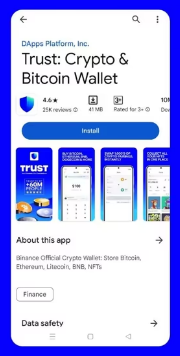
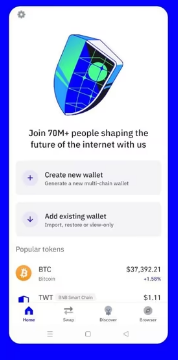
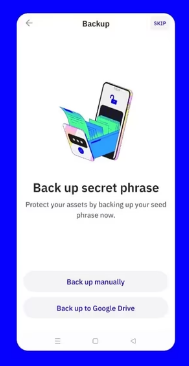
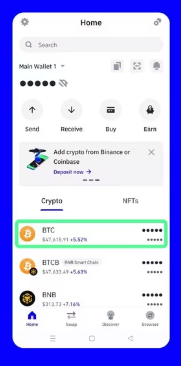
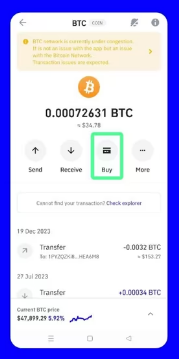
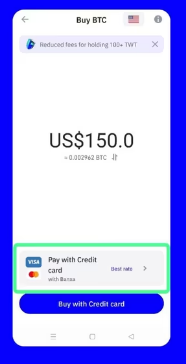
Home / Buy Bitcoin How to Buy Bitcoin A step-by-step guide using Trust Wallet. What Is Trust Wallet? A wallet for buying, storing and sending cryptocurrency. You control your private keys and funds. This is known as self-custody. Purchases are handled by an integrated payment provider. Download Trust Wallet Mobile app for iOS and Android 01 Install the App and Create Your Wallet Install the app from the official website. Open it and select “Create a new wallet”. Follow the in-app instructions to set up access to your wallet. Create a Wallet Choose a Backup Method 02 Back Up Your Recovery Phrase These 12 words allow you to recover your wallet if you lose your phone. Choose manual backup. Write the words on paper in the correct order, then confirm them in the app. Keep These Words Offline. Never share them: they provide access to your funds. Keep These Words Offline. Never share them: they provide access to your funds. 03 Secure Access to the App Set a passcode and enable Face ID or fingerprint authentication if your device supports it. The passcode protects the app. The recovery phrase lets you restore your wallet. 04 Buy Bitcoin From the home screen, follow these three steps. A Tap “Buy” Open the crypto purchase option on the home screen. B Select Bitcoin (BTC) Choose BTC on the Bitcoin network. C Enter Your Amount Select EUR, your provider and payment method, then tap “Buy BTC”. Check the Fees and the Amount of BTC You Will Receive. The provider may require identity verification. Example Trust Wallet screenshots. The interface varies depending on the version and language. View Your BTC in Trust Wallet Once your purchase is processed, your balance will appear in your wallet. Back to Payment Methods